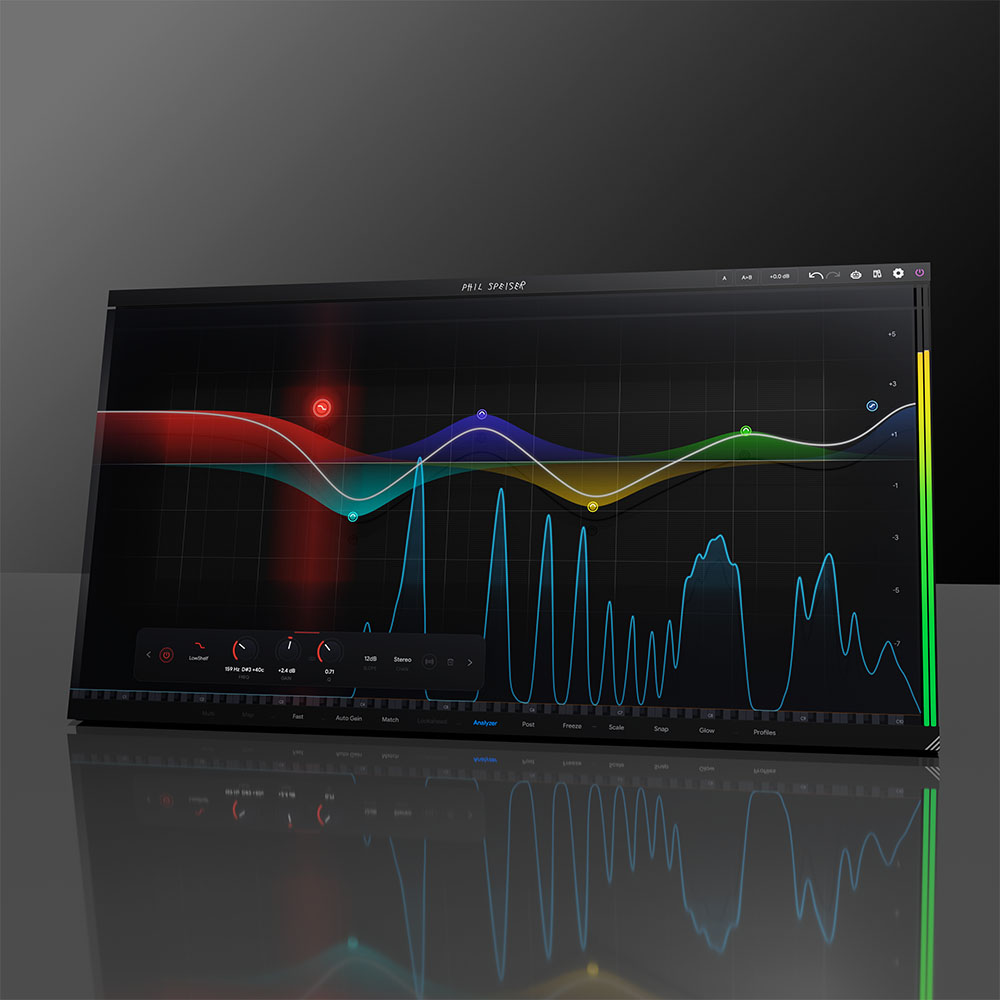
THE_EQ
...THAT CHANGES MIXING FOREVER.
LIMITED INTRODUCTION OFFER
STOP SWITCHING TRACKS
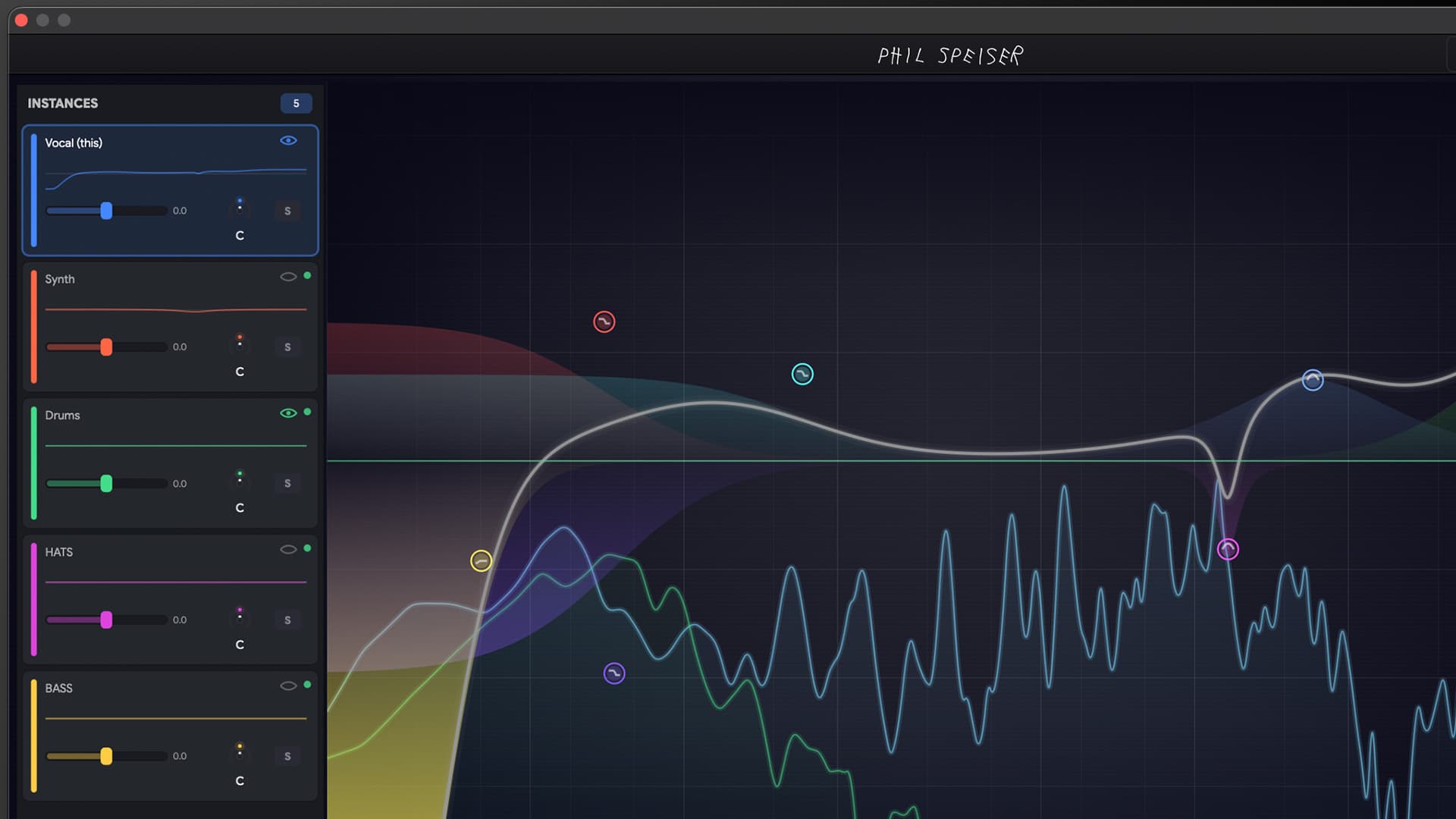
You've got 40 tracks open. Every time you switch to tweak one, you lose context on the rest. THE_EQ shows you every track in your session at once. Click any one to EQ it, change its volume, adjust its panning — without ever leaving the window you're in. Group your drum tracks together, link their EQ bands, and tweak one to sync them all. Mute, rename, and reorder tracks right from the sidebar. One plugin. Full control. Zero track-hopping.
SEE YOUR ENTIRE MIX LIKE NEVER BEFORE
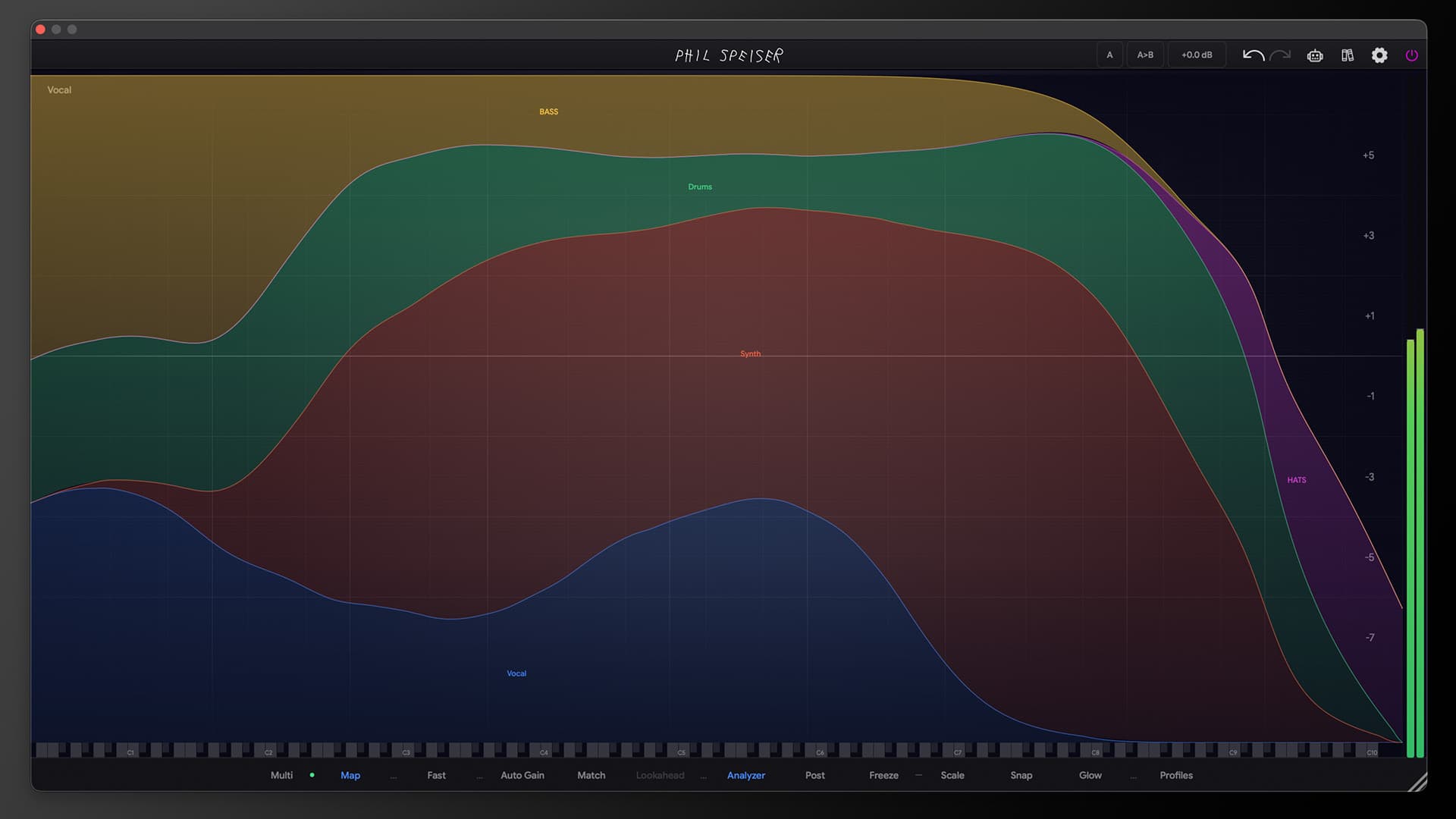
The Allocation Map gives you a stunning full-height stacked view of your entire frequency spectrum across all tracks. Instantly spot where instruments are clashing, where there's space, and where your mix needs work — with buttery-smooth, rock-solid visuals that never jitter. No other EQ on the planet gives you this perspective.
YOUR TRACKS MOVE OUT OF EACH OTHER'S WAY
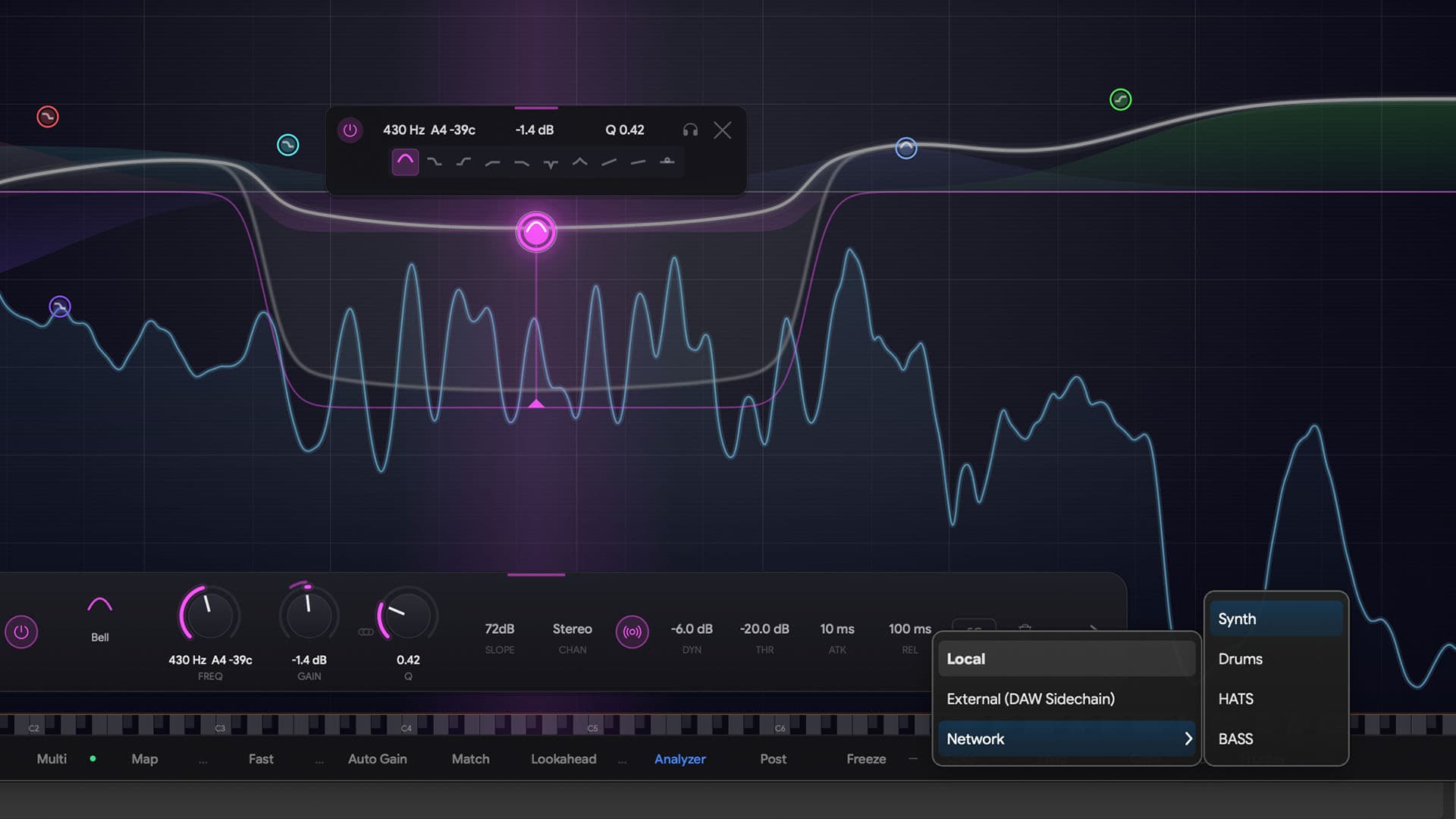
Kick and bass fighting? Synths burying your vocal? Normally you'd spend 20 minutes setting up sidechain busses and routing. With THE_EQ, tell your synth to duck when the kick hits AND when the vocal comes in — from the same plugin. No routing. No setup. Tracks just move out of the way, automatically.
YOUR EQ FOLLOWS THE MUSIC
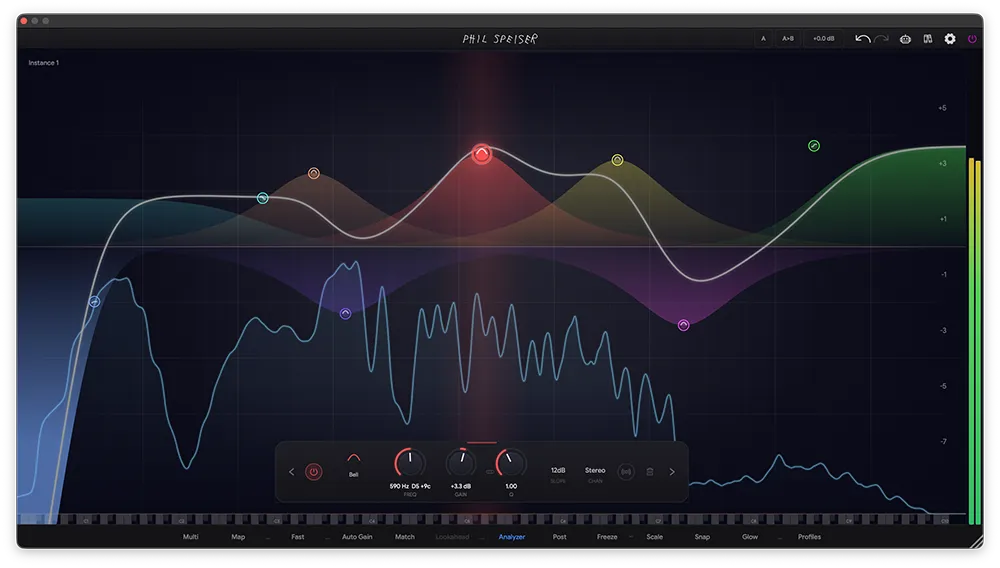
A vocal drifts between notes. A bass line moves across octaves. Traditional EQ bands sit still while the music moves — so you automate, guess, or just hope for the best. Band Surfing changes that. Toggle it on any band and it locks onto the dominant frequency in real-time, riding the pitch as it moves. A ghost handle shows you exactly where the band is tracking, while the EQ curve dynamically warps to match. No automation. No guesswork. Your EQ literally follows the music.
ONE CLICK. YOUR TRACK SITS PERFECTLY.
Every other EQ gives you a generic 'Vocal' preset made for someone else's song. It never fits. You load it, hate it, and spend 15 minutes fixing it anyway.THE_EQ's Smart Profiles actually listen to your mix — not just the one track, but everything around it. Our AI automatically detects Vocals, Drums, Bass, Guitars, Strings, and Horns, figures out exactly where your track needs to sit, and gives you a perfect starting point in seconds. You can even match the EQ curve of any other track or external sidechain source instantly. One click and you're 90% there.
WATCH THE_EQ IN ACTION
NO OTHER EQ CAN DO THIS.
- Full-Height Allocation Map
- A stunning stacked area chart showing real-time frequency masking across your entire mix with rock-solid, flicker-free visuals
- Cross-Instance Mixing
- Click any track in Multi-View to sculpt its EQ, volume, or panning — all from one window
- Cross-Track Grouping & Linked Bands
- Group tracks together (e.g., all drums) with color coding — tweak an EQ band on one and it syncs across the entire group automatically
- EQ Curve Matching
- Analyze any audio source — from a sidechain or any other instance — and instantly match its EQ curve to your target
- Multi-Trigger Network Sidechaining
- React to multiple signals simultaneously — no DAW routing required
- Per-Band Trigger Assignment
- Set each band to duck from a different source (Kick, Vocal, etc.)
- Smart Profiles
- AI-powered starting curves for Vocals, Drums, Bass, Guitars, Strings, and Horns — visible across your entire network
- Remote Track Control
- Mute, rename, and reorder any track in your network directly from the sidebar without switching windows
- 24 EQ Bands
- Full control with up to 24 individually configurable bands
- Dynamic EQ Mode
- Set any band to Dynamic to compress frequencies only when they build up too loud — with optional tempo-sync to lock release times to your DAW's BPM
- Band Surfing
- Toggle any band to automatically track the dominant frequency in real-time — the EQ follows the music so you don't have to
- Fast Phase Mode
- Zero-latency tracking for real-time mixing
- Analog Phase Mode
- Oversampled phase cohesion for warm, musical results
- Linear Phase Mode
- Pristine mastering-grade processing untouched by phase shift
- Scale Locking
- Snap EQ frequencies perfectly to the musical scale of your song
- Whisper-Quiet CPU
- Designed to be placed on every single audio channel in your project — run massive 50+ track networks effortlessly
- Smart Subscriptions
- Instances dynamically stop computing FFT data when no other plugin is actively looking at them — zero wasted resources
- Binary Processing Engine
- Lightning-fast packed-binary protocol replaces heavy data streams for a fraction of the CPU overhead
- GPU-Accelerated Graphics
- Smooth rendering of the ecosystem map and spectrum displays with high-res font scaling for any screen size
- VST3, AU, AAX
- Full format support for all major DAWs
- Standalone Mode
- Use THE_EQ outside your DAW for analysis and learning
THE EQ THAT ACTUALLY MAKES YOU FASTER
You already know what a good mix sounds like. The problem was never your ears — it was your tools making you work one track at a time, blind to everything else. THE_EQ removes the guesswork. See the whole picture. Let tracks get out of each other's way automatically. Get a perfect starting point in one click. Spend your time making music, not fighting frequencies.
LIKE NETFLIX BUT FOR MUSIC PRODUCTION
Gain access to countless hours of tutorials and masterclasses where I share in-depth knowledge to elevate your music production skills to a new level. I'm also releasing more and more AI-supported tutorials, allowing you to ask questions in real-time as you watch the videos.
Loading TrustPilot data...







WORKS WITH ALL MAJOR MUSIC SOFTWARE
MAC (Intel or M-Processors) | WINDOWS
VST3, AAX, AU
Frequently Asked Questions
THE_EQ works with any music software hosting VST3, AAX, or AU plugins—like Ableton Live, Pro Tools, FL Studio, Logic, GarageBand, Cubase, and Reaper. Both Windows and macOS (including M1 and higher) are supported.
THE_EQ is a world-first networked equalizer. Unlike traditional EQs that work on a single channel in isolation, THE_EQ connects every instance in your session into a living ecosystem. You can see and control all your tracks from one window, use multi-trigger sidechaining without any DAW routing, and get AI Smart Profiles that understand your track in the context of your entire mix.
The Multi-View is a massive visual overview that shows how all your tracks interact in the frequency spectrum simultaneously. From any single THE_EQ instance, you can click on any track to sculpt its EQ, adjust its volume, or change its panning — all without switching tracks or closing your current window. You can group tracks together with color coding and link their EQ bands, mute any track remotely, and drag-and-drop to reorder them to match your DAW layout. It's like having a mixing console built into your EQ.
Traditional EQs only allow one sidechain input per plugin, requiring complex DAW routing for multiple sources. THE_EQ breaks this limitation — because every instance is connected to the network, a single instance can react to multiple signals at once. For example, you can set Band 1 on your Synth to duck when the Kick hits, and Band 3 to duck when the Vocal hits. One plugin, zero routing.
Not at all. THE_EQ uses a lightning-fast binary processing engine and smart subscriptions that dynamically stop computing data when no other plugin is actively looking. You can run massive 50+ track networks with a fraction of the CPU overhead of traditional plugins.
Smart Profiles are AI-powered starting curves that go far beyond generic presets. Our ML model automatically detects Vocals, Drums, Bass, Guitars, Strings, and Horns, then communicates with the network to understand how your track fits within the context of your entire mix and calculates a custom profile tailored to what your track actually needs. On top of that, EQ Curve Matching lets you analyze any audio source — from a sidechain or any other instance in your session — and instantly match its EQ curve to your target. A perfect starting point in seconds.
THE_EQ offers three audiophile-grade phase modes: "Fast" for zero-latency real-time tracking, "Analog" for oversampled phase cohesion with a warm musical character, and "Linear" for pristine mastering-grade processing completely untouched by phase shift.
I'm super confident you'll love THE_EQ, but if you discover it's not the perfect fit within 30 days of purchase, just reach out. I'll handle a smooth license transfer and give you a full refund—no hassle.
You want it all and more?
JOIN

THE_CIRCLE is your all-access pass to my entire world of music production, offering exclusive features like my AI music production platform, THE_CIRCLE APP - all for an affordable monthly fee.